
SkyPrivate Safety Guide:
Tips & Best Practices to Stay Safe and Avoid Scams
In this SkyPrivate safety guide, you’ll find everything you need to stay protected and avoid scams.
With just a few simple habits, you can prevent risky situations and keep full control over your time, model account, and earnings.
The sections below include a step-by-step checklist of best practices, along with platform-specific guidance for Teams, Telegram, and Discord.
Let’s dive right in:
Your Quick Safety Checklist: Do’s & Dont’s
What to Do

- Keep all verifications on the official SkyPrivate website. If anything feels unusual, open Live Chat directly from your model account.
- Check payments inside your account (History → All Payments) before accepting any private call a member claims is prepaid.
- Hide your email address on Teams to prevent exposure to scammers.
- Confirm the member’s exact username/ID before engaging with him.
- Pause and verify whenever something doesn’t feel right (even if the member claims urgency or insists everything is fine).
- Report suspicious behavior early: use the “Block” or “Report” options.
- Early action protects both you and other models and prevents escalation in many cases.
- Verify any unusual request directly with SkyPrivate Support before proceeding.
What Not to Do

- Don’t accept “verification calls” or remote-access sessions for “technical help” from self-claimed SkyPrivate staff.
- Don’t join a Telegram group call started by someone else. The Model always initiates the private call on Telegram. Not the member.
- Ignore any Telegram call links a “member” sends you. On Telegram, it’s you, the Model, who starts the call. Always.
- Don’t download files (videos, “proofs,” “payment confirmations”, etc.).
- Don’t share personal data, credentials, or documents outside the SkyPrivate website.
- Don’t click on external links to calls or payment pages.
- Don’t accept “premium offers” or “refunds” from self-claimed SkyPrivate staff for any reason.
Platform-Specific Best Practices

Microsoft Teams
On Microsoft Teams, staying aware of unusual activity can help you protect your account… and your earnings.
Click here to read more ⚠️ A Note About Your Email Address: How to Stay Safe on Teams:
Some users might email you after seeing your email address from your Microsoft Teams profile – remember to hide your email address on Teams.

Telegram
Telegram has clear behaviors you can rely on – making it easy to spot anything unusual.
Click here to read more How to Stay Safe on Telegram Keep an eye on the sender: Start the call yourself: Ignore external call links: Check the group setup: Trust only what you see in your SkyPrivate account: If anything feels unusual, pause and verify via Live Chat on the SkyPrivate website.
Real Telegram calls require no link, no file, and no external webpage.
A legitimate SkyPrivate group is automatically created by the bot, and the creation message appears as if it were sent by you.
Be skeptical of any payment promises, screenshots, or “proofs” sent on Telegram, and always double-check the payment status in your account.

Discord
Discord requires extra caution – knowing what’s normal can help you avoid scams and protect your account.
Click here to read more How to Stay Safe on Discord
Quick Ways to Confirm If Something Is Genuine
Whenever you’re unsure, ask yourself:
When in doubt, open Live Chat – verification only takes a few seconds.
Quick Examples (and What You Can Learn From Them)
Below are real examples of common scam attempts. Look through them to learn what to watch for and how to protect yourself in similar situations.
Example Verification call request
Example: Premium offer from Admin Lesson: All offers are announced by email only → ignore messages sent on chat apps.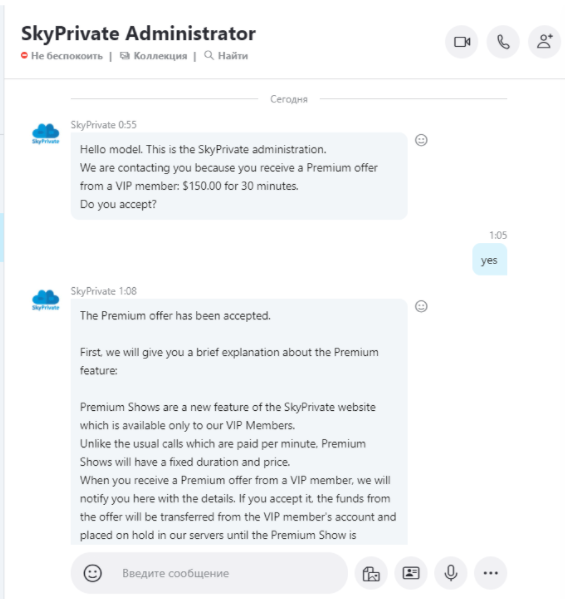
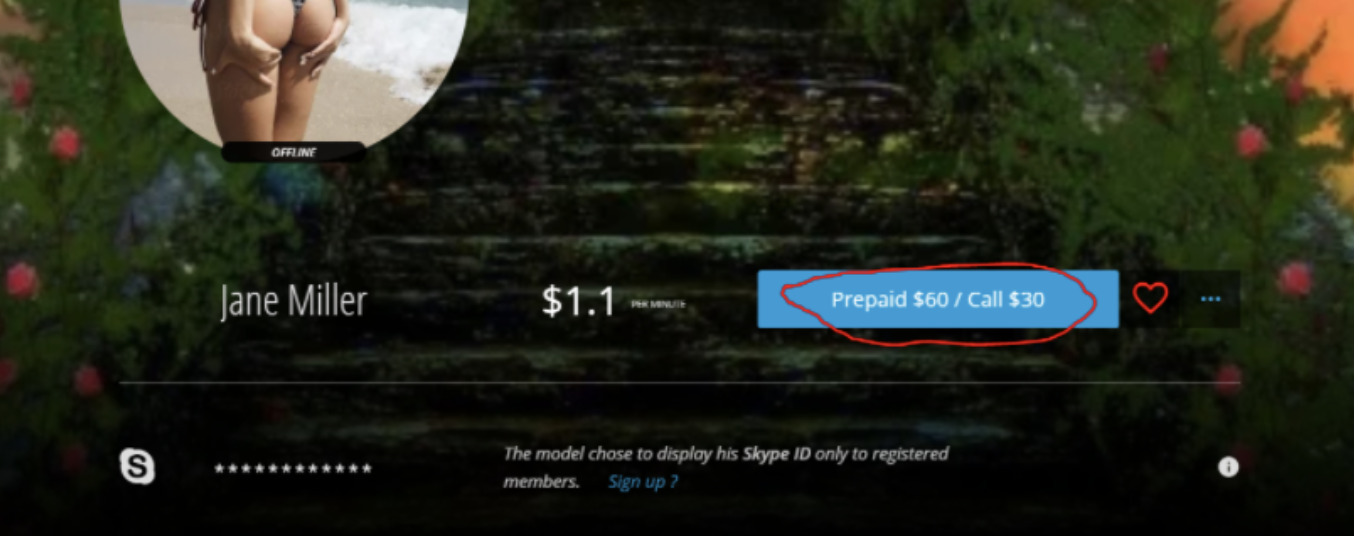
Example: Prepayment screenshot Lesson: Only trust your History → All Payments inside your account.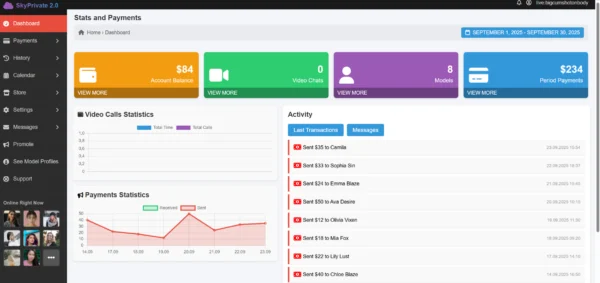
Example: Email sent to you after a Teams chat Lesson: Your email is visible in Teams → hide your email address and trust only no-reply@skyprivate.com.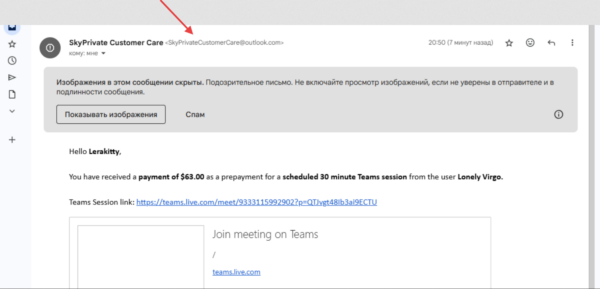
Example: Fake Telegram group Bot messages appear to be sent by someone else Lesson: Bot messages must always appear as if you sent them → if they appear to be sent by anyone other than you, leave immediately.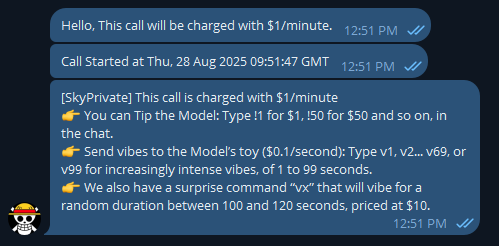
Example: File named “video.mp4.vbs Lesson: Never download files from members → confirm with Support.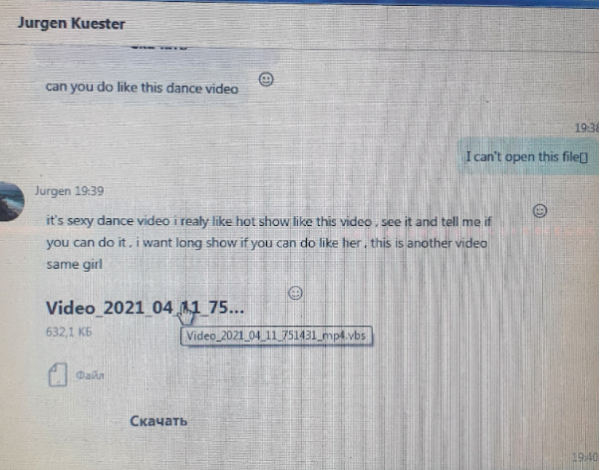
When You’re Unsure, Take the Safest Step
If something feels off:

You’re not alone: our Support team is here to help you stay safe and protected. 💙